Why Do You Need Thermal Paste for Your CPU?
Thermal Paste plays a crucial role in CPU performance. It ensures effective heat transfer from the processor to the heatsink. According to a report from TechInsights, improper application of thermal paste can result in temperature spikes of up to 25 degrees Celsius. This can significantly affect the CPU's longevity and efficiency.
Dr. Emily Hargrove, a thermal management expert, emphasizes the importance of this material: "Without proper thermal paste, even the most advanced CPU can struggle to maintain optimal performance." Many users overlook this simple yet vital component during installation. This oversight can lead to thermal throttling, reducing system stability and responsiveness.
In an age where computing power drives innovation, understanding Thermal Paste's function is essential. Many enthusiasts apply thermal paste without knowledge, often resulting in uneven layers. This can impede the heat dissipation process. Investing time in proper application yields better performance and longevity for your CPU. This small detail can distinguish a functioning system from one that overheats regularly.
What is Thermal Paste and Its Role in CPU Cooling?
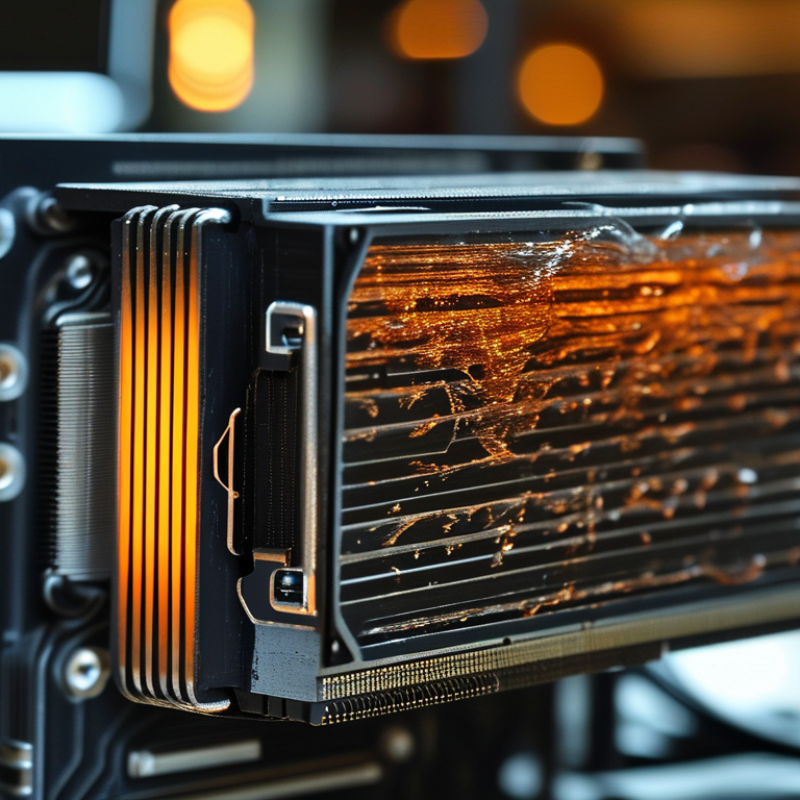
Thermal paste is a crucial component in CPU cooling. It fills in tiny gaps between the CPU surface and the cooler. These gaps can trap air, which acts as an insulator. By applying thermal paste, you create a better conductive path. This ensures heat transfers efficiently from the CPU to the cooler. Good thermal management helps maintain optimal performance.
However, using thermal paste correctly requires attention. Too much paste can create a mess. It might spill over to the motherboard, causing potential damage. Conversely, too little can lead to insufficient heat transfer. Users should apply a thin, even layer. It’s important to check for even coverage. Sometimes, this step can be easy to overlook, but it is essential.
Knowledge of thermal paste longevity is also vital. Over time, thermal paste can dry out and lose effectiveness. Regular checks and timely replacements are necessary. An inefficient paste can lead to overheating, which affects CPU lifespan. Understanding these aspects reflects a commitment to maintaining your hardware properly.
Understanding How Thermal Paste Improves Heat Transfer Efficiency
Thermal paste plays a crucial role in CPU cooling. It fills microscopic gaps between the CPU and cooler. Without it, heat transfer efficiency diminishes significantly. Studies indicate that proper thermal paste application can reduce CPU temperatures by up to 20 degrees Celsius. This improvement is vital for maintaining optimal performance and prolonging hardware lifespan.
Effective heat transfer is essential for CPU performance. A study by the International Journal of Thermal Sciences highlights that poor thermal interface materials can result in a thermal resistance increase of 30% or more. Users often overlook this detail. Misapplication of thermal paste can lead to uneven distribution, negatively impacting heat dissipation. Proper training and guidelines are sometimes lacking, which can cause errors.
Understanding the importance of thermal paste is vital. While it is not the only factor, its effectiveness in heat transfer is profound. The gap filling capabilities of thermal paste ensure that CPUs operate within safe temperature ranges. However, users must remain vigilant about its quality and application. The wrong choice can produce unexpected thermal throttling, impacting overall performance.
Impact of Thermal Paste on CPU Heat Transfer Efficiency
Signs That Your CPU Needs New Thermal Paste
When it comes to CPU performance, thermal paste plays a crucial role. It's essential for heat transfer between the CPU and the cooler. Over time, thermal paste can dry out or degrade, leading to overheating issues. Recognizing the signs that your CPU needs fresh thermal paste can save you from serious problems.
One clear indication is rising temperatures during normal use. If your CPU is consistently running hotter than usual, it may be time to check the thermal paste. Frequent system crashes or slowdowns can also suggest that overheating affects performance. If games or applications lag unexpectedly, the thermal interface may need attention.
Tips: Regularly monitor CPU temperatures with reliable software. If you notice any abnormalities, consider reapplying thermal paste. When applying, ensure the surface is clean for better adhesion. It's better to spend a little time now rather than face potential hardware damage later. Remember, a well-maintained CPU contributes to a longer lifespan and efficiency.
How to Properly Apply Thermal Paste on Your CPU
Applying thermal paste correctly is critical for CPU performance. Many overlook this simple yet pivotal step. A 2022 report by TechInsights indicated that improper application could increase CPU temperatures by up to 20 degrees Celsius. This can lead to thermal throttling and reduced lifespan.
To apply thermal paste, start with a clean CPU surface. Use isopropyl alcohol and a lint-free cloth. A small, pea-sized amount of paste is often sufficient. Too much can spill over and create a mess. Place the cooler on the CPU, allowing the paste to spread evenly. Some users apply the paste in lines or crosses, but a dot is typically more effective.
Reflections on application methods can reveal inconsistencies in user practices. Some apply their paste without thorough cleaning, leading to suboptimal results. Others may choose to use types of paste incorrectly, not considering viscosity and thermal conductivity. Taking time to understand the best practices is essential.
Common Myths and Misconceptions About Thermal Paste Usage
Many users believe that applying thermal paste isn’t crucial. Some think it's only for enthusiasts or those overclocking their CPUs. However, thermal paste plays a vital role in heat dissipation. Without it, the CPU may overheat and suffer damage over time.
A common misconception is that applying too much paste is better. In reality, excess thermal paste can create a barrier, rather than enhancing thermal conductivity. The ideal amount should resemble a small pea or a thin line. Applying it properly ensures optimal heat transfer between the CPU and cooler.
Tips: Always clean the old paste before applying new thermal compound. Use isopropyl alcohol and a lint-free cloth for best results. Consider replacing it every few years to maintain performance. Monitor CPU temperatures regularly to assess the effectiveness of your thermal paste application.