What Is a Managed Network Switch and How Does It Work?
A network closet can look quiet: a row of blinking ports, labeled cables, and a switch tucked beneath a shelf. Yet each light marks traffic moving between devices. A Managed Network Switch gives administrators control over that traffic, rather than simply connecting equipment and forwarding frames. It can support VLANs, traffic prioritization, port monitoring, and remote configuration. That control matters.
Sun Microsystems networking pioneer John Gage popularized the phrase, “The network is the computer.” He was not describing managed switches specifically, but the idea helps explain why network equipment deserves careful attention. A switch learns device MAC addresses, then forwards data through the appropriate ports. Its management features let staff shape and monitor how that process works. Not magic. Configuration.
This introduction explains what a Managed Network Switch is, how it handles network traffic, and which features matter in practical deployments. We will look at VLANs, Quality of Service, monitoring, and security settings, with examples from offices and growing networks. The details vary by model, and a feature list alone cannot promise a reliable setup. That is worth remembering. A misconfigured VLAN can isolate devices that should communicate, while an unused setting may add needless complexity. The goal is not maximum control. It is a network that is understandable, observable, and suited to the people using it.
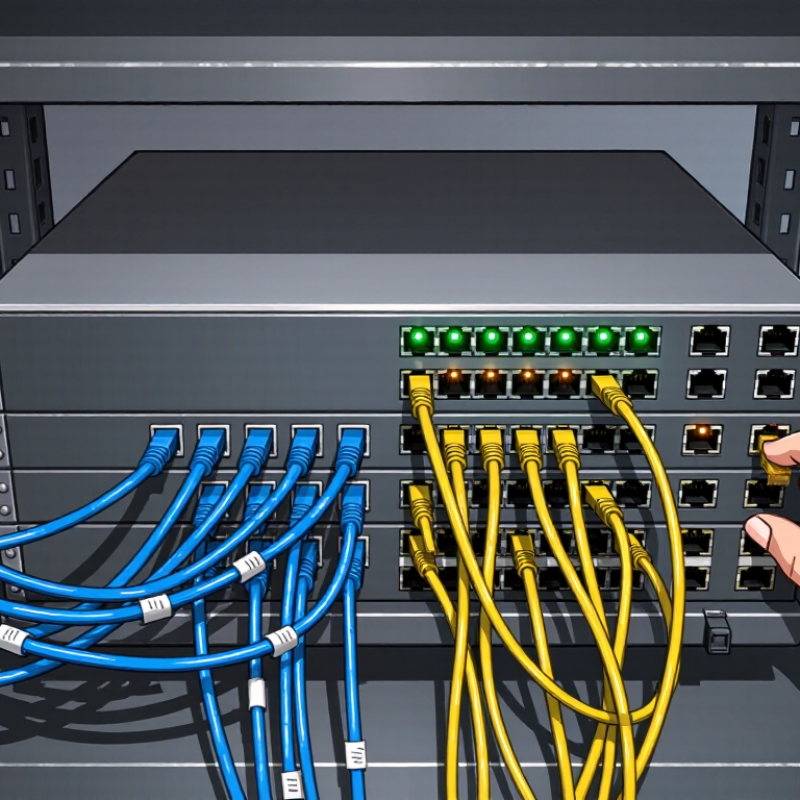
What a Managed Network Switch Is
A managed network switch is an Ethernet device that connects computers, printers, wireless access points, and other wired equipment on a local network. It forwards data between devices using their network addresses, while giving an administrator controls for configuring and monitoring connections. Common settings include virtual LANs, port speed, traffic priorities, and alerts when a link goes down. Available features depend on the switch. Not every model offers the same controls.
For example, an administrator could place office computers and guest access points on separate virtual networks, even when they use the same switch. This can help limit unnecessary traffic between groups, but the setup must match the rest of the network. A managed switch may provide a web interface or command-line tools for viewing port status, checking errors, and changing settings. Those details are useful when a printer drops offline or a cable connection behaves inconsistently. Still, configuration adds responsibility: a mistaken VLAN or port setting can interrupt service. A switch also does not automatically act as a router or internet firewall. It is a practical control point, not a cure for every network problem.

The Core Components Inside a Managed Switch
A managed switch contains several parts that work together to move traffic and let an administrator control the network. Its central processor, or CPU, runs the operating system and handles management tasks. These include applying configuration changes, recording events, and responding to monitoring requests. The CPU does not usually inspect every packet by itself. Dedicated switching chips, often called ASICs, forward frames between ports at high speed using learned MAC address tables.
Memory supports both jobs. RAM holds active tables and temporary data, while nonvolatile storage keeps the operating system and configuration after a restart. Network ports connect devices through copper cables or fiber transceivers. Small parts matter. Each port has circuitry that detects link status and negotiates speed, so a desk phone or access point can connect without manual timing adjustments.
The management interface links these components. When an administrator assigns a VLAN, the CPU updates configuration data and instructs the switching hardware how to treat matching traffic. Firmware coordinates that process and reports errors, such as a failed link or excessive temperature. Heat matters, too. A compact switch in a warm cabinet may throttle or become less reliable if airflow is blocked. The boundary between software control and hardware forwarding can feel less tidy than diagrams suggest, especially during troubleshooting. Watching port indicators, logs, and traffic counters together often gives a clearer picture than trusting any single reading.
How a Managed Switch Processes Network Traffic
A managed network switch examines each Ethernet frame as it arrives, using its source and destination MAC addresses to decide where traffic should go. It also checks the frame’s VLAN tag, if present, to keep traffic within the correct network segment. These decisions happen quickly, often while other frames are being processed.
The switch learns by recording which source addresses appear on each port. When it knows a destination, it forwards the frame only to the matching port. If the destination is unknown, it may send the frame across the relevant VLAN so the device can be found. Access rules can block certain traffic, while quality-of-service settings can prioritize time-sensitive packets, such as voice calls. At a busy port, frames wait in queues. Congestion can still cause delay or dropped packets; management features do not make bandwidth unlimited.
Tips: Check the forwarding table and port counters when troubleshooting. A rising error count on one cable can reveal a physical problem. Keep VLAN assignments documented, too. Small mismatches are easy to overlook, and I have found that a neat diagram is not always up to date. Verify the live configuration before changing settings.
What Is a Managed Network Switch and How Does It Work? - How a Managed Switch Processes Network Traffic
| Processing stage | What the switch does | Information or feature used | Practical result |
|---|---|---|---|
| 1. Frame reception | The receiving port detects an Ethernet signal and accepts a frame when it passes physical-layer and frame-integrity checks. | Port link state, Ethernet framing, and the frame check sequence (FCS). | A frame with an invalid FCS is generally discarded rather than forwarded. |
| 2. VLAN classification | The switch associates the frame with a VLAN based on the port configuration or, on a trunk link, its 802.1Q VLAN tag. | Access-port VLAN, trunk allowed-VLAN list, and 802.1Q tag. | The VLAN defines the Layer 2 broadcast domain in which the frame is handled. |
| 3. Source MAC learning | The switch records the source MAC address and the port on which it was received, associated with the frame's VLAN. | Source MAC address, ingress port, and VLAN ID. | The forwarding database can later direct traffic for that address toward the learned port. Entries age out if not refreshed. |
| 4. Policy checks | Configured controls may permit, restrict, prioritize, or discard traffic. The exact processing order depends on the switch implementation. | Access control lists (ACLs), port security, storm control, and other configured policies. | For example, an ACL can deny traffic matching specified addresses or protocols; port security can limit learned MAC addresses. |
| 5. Destination lookup | The switch looks up the destination MAC address in its forwarding database for the relevant VLAN. | Destination MAC address, VLAN ID, and learned forwarding entries. | A known unicast frame is normally sent only to the port associated with its destination, unless policy or topology rules affect forwarding. |
| 6. Forwarding decision | If the destination is unknown, or the frame is broadcast or certain multicast traffic, the switch may send copies to eligible ports in the same VLAN. | VLAN membership, forwarding-database entries, multicast settings, and spanning-tree state. | Traffic is kept within the appropriate Layer 2 domain; spanning tree helps prevent loops by blocking selected paths. |
| 7. Queueing and scheduling | Frames wait in an egress queue if the outgoing port is busy. Quality of service (QoS) settings can influence queue selection and service order. | Configured QoS classification, priority markings, queue limits, and scheduling policy. | When congestion occurs, queues may build and frames may be delayed or dropped; prioritization does not create additional link capacity. |
| 8. Frame transmission | The switch sends the frame through the selected egress port, applying the configured VLAN tagging behavior for that port. | Egress-port state, access or trunk configuration, and link speed. | An access port typically sends frames without a VLAN tag, while a trunk commonly carries VLAN tags for configured VLANs. |
| 9. Management and monitoring | An administrator configures and monitors the switch through supported management interfaces; this is separate from ordinary user-frame forwarding. | A management interface, command-line or web interface, SNMP, logs, and port statistics, depending on the device. | Managed features provide visibility and control over VLANs, policies, ports, and network status; available features vary by model and configuration. |
Note: The sequence and available features can vary by switch architecture, configuration, and protocol. A Layer 2 switch forwards frames using MAC addresses; Layer 3 switches can also route traffic between IP networks when configured to do so.
Configuration and Monitoring Features
A managed network switch lets an administrator configure how traffic moves across individual ports. Common settings include virtual LANs, port speed, traffic priority, and access rules. For example, a team might place office computers and security cameras on separate network segments, even when they connect to the same switch. This helps limit unnecessary traffic and makes problems easier to isolate.
Configuration should match the actual network, not just a template. A mismatched VLAN setting can leave a desk disconnected, while an overly broad access rule can expose devices unnecessarily. Small changes matter.
Monitoring features help catch these issues: port counters show errors and dropped packets, while system logs record link changes and configuration updates. A sudden rise in errors on one port may point to a damaged cable or an aging device. Alerts can speed up troubleshooting, but poorly chosen thresholds create noise. Still, monitoring is not a substitute for checking the physical setup. A cable can look fine and fail intermittently.
That takes discipline. Regularly reviewing settings and comparing current traffic with a normal baseline gives administrators a clearer view of what changed and where to investigate.
Where Managed Switches Are Used
Managed network switches are most useful where many devices share a network but need different rules. In an office, one switch can place guest Wi-Fi, staff computers, security cameras, and voice phones into separate VLANs. That limits unnecessary traffic and makes faults easier to trace. In a server room, administrators use port monitoring and link redundancy to spot congestion or a failed connection. Uptime Institute’s 2024 Global Data Center Survey reported that 55% of respondents had experienced a significant outage in the previous three years. A managed switch cannot prevent every outage, but its logs and alerts can help teams investigate network problems faster.
Factories and warehouses use managed switches to connect controllers, sensors, scanners, and cameras. A technician may configure traffic priority so control messages are not delayed by routine file transfers. Industrial models often mount inside electrical cabinets, close to production equipment. IoT Analytics’ State of IoT—Summer 2024 reported 16.6 billion connected IoT devices worldwide in 2023, with 18.8 billion expected in 2024. More connected equipment makes network segmentation and visibility increasingly practical. Still, more control is not automatically better. Poorly documented settings can confuse the next technician, and a small site may not need complex features. The right setup depends on the devices, traffic, and people maintaining it.
Where Managed Switches Are Used: Example 48-Port Office Switch
Example allocation of switch ports by connected device type. This illustrative office setup uses 37 of the switch’s 48 ports.
A managed switch connects devices across an office network and lets administrators configure features such as VLANs to separate traffic, and QoS to prioritize time-sensitive services such as voice calls. Eleven ports remain available for growth.