10 Touch Switch Buying Tips for Global Buyers?
Choosing a Touch Switch for an international project is not just a matter of appearance. A glossy glass panel may look elegant in a showroom, yet feel unreliable when a damp hand presses it repeatedly. Buyers need to compare the switch with the room, wiring setup, and daily use. Small details matter.
This guide introduces ten practical buying tips for global buyers. It covers load ratings, compatible lamps, sensor response, panel materials, installation depth, and expected service life. Check the product specifications rather than relying on a product photo or a broad claim such as “universal.” Ask suppliers for clear test information, wiring diagrams, and samples when the project allows. A sample can reveal a stiff button, visible fingerprints, or an awkward indicator light before a large order is placed.
Compatibility deserves special attention. A switch may work well with one LED driver and flicker with another. That is annoying, and easy to overlook. Buyers should also confirm whether the product supports the intended control method, such as a wall touch panel, remote, or smart-home connection. For overseas projects, request documentation relevant to the destination market and have a qualified installer check the planned setup. Requirements and installation conditions can differ.
No checklist removes every risk. Supplier claims still need verification, and a low unit price may not reflect total project cost. Use these tips to ask better questions, compare offers on consistent terms, and choose a Touch Switch suited to real conditions—not just the catalog.
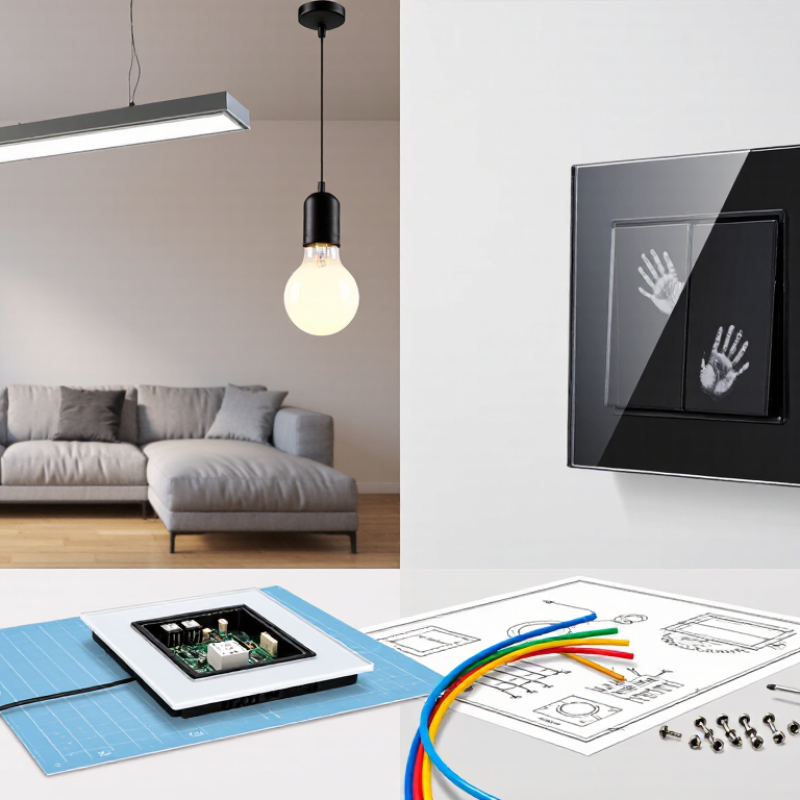
What Is a Touch Switch and How Does It Work?
A touch switch controls a light or other compatible load when a finger contacts its sensing surface. Unlike a mechanical switch, it has no exposed moving parts to press. Beneath the glass or plastic face is a conductive sensing electrode. The outer panel can look smooth and seamless.
Most touch switches use capacitive sensing. Your finger changes the electrical capacitance around the electrode by a tiny amount. A control circuit detects that change and sends a signal to a switching component, such as a relay or semiconductor device. That component then opens or closes the circuit. One light touch is enough.
The experience can feel effortless. A fingertip on a dry glass panel may trigger the light almost instantly. But performance depends on the design, wiring, and connected load. Thick panels, moisture, poor grounding, or electrical interference can affect sensitivity. Not every model works with every lamp, especially when dimming is involved. Check the rated voltage and load type before choosing a unit. For a real installation, have a qualified electrician verify the wiring and circuit requirements. Touch control is convenient, though it is not magic.

Which Touch Switch Types and Features Should Buyers Compare?
When comparing touch switches, buyers should separate the sensing method from the control function. Capacitive models respond to a light finger touch; some use a glass panel, while others have separate touch zones for different circuits. Mechanical switches provide a familiar click, but they are not touch-operated. Check whether the switch supports single-pole or multiway wiring, dimming, and remote control. Not every dimmer works with every lamp. A neat panel can still cause flicker.
Features matter in daily use. Look for clear zone markings, visible status indicators, adjustable sensitivity, and a low standby power rating. In kitchens, test whether the panel responds reliably with dry hands and remains easy to wipe clean. Ask for specifications on rated voltage, load type, maximum load, and operating temperature. For wet or dusty locations, verify the stated ingress-protection rating rather than relying on appearance. Small details count.
Controls can also affect energy use, but results depend on the building and how people use them. A Lawrence Berkeley National Laboratory meta-analysis of commercial lighting-control projects reported average lighting energy savings of about 24%; individual results varied by control type and setting. Treat that figure as context, not a guarantee for a home touch switch. Request test documentation and installation guidance. I would compare those documents before choosing a glossy finish; it is easy to overlook compatibility.
10 Touch Switch Buying Tips for Global Buyers — Which Touch Switch Types and Features Should Buyers Compare?
| # | Buying tip | Types or features to compare | What to verify before purchase |
|---|---|---|---|
| 1 | Choose the sensing technology for the application. | Capacitive sensing detects changes in electrical capacitance; resistive sensing responds to pressure; infrared sensing detects interruption or reflection of infrared light; piezoelectric controls respond to applied force. | Confirm which technology suits the intended panel, operating environment, user interaction, and cleaning requirements. Ask for the operating principle and test conditions. |
| 2 | Match the switch to the electrical load. | Compare rated voltage, current, load type, and switching method, such as direct load switching or a low-voltage signal output. | Check the rating for the actual load. LED lamps and electronic drivers can have inrush current, so a general resistive-load rating may not establish compatibility. |
| 3 | Confirm regional electrical requirements. | Compare the intended supply voltage and frequency, wiring arrangement, terminal style, and applicable safety requirements for the destination market. | Verify product documentation and certification requirements with the relevant local authority or qualified importer. Requirements vary by country and product category. |
| 4 | Check installation and wiring compatibility. | Compare wall-box dimensions, mounting depth, terminal capacity, neutral-wire requirements, and compatibility with the existing installation. | Obtain dimensioned drawings and wiring diagrams. Do not assume a touch switch uses the same wiring or fits the same mounting box as a conventional mechanical switch. |
| 5 | Assess performance with gloves and through panel materials. | Capacitive models may depend on touch sensitivity, overlay thickness, and material; resistive or piezoelectric designs may respond differently to gloves or pressure. | Test using the intended cover material and thickness, representative gloves, and typical user contact. Confirm any stated sensing distance or sensitivity under defined conditions. |
| 6 | Review environmental protection and cleaning needs. | Compare enclosure protection against dust and water, surface material, edge sealing, and resistance to cleaning agents. | Check the declared IP rating and the conditions under which it applies, including installation and gasket use. An IP rating does not by itself establish chemical resistance. |
| 7 | Compare control functions and user feedback. | Options may include on/off control, dimming, multi-way control, indicator lighting, audible feedback, and adjustable brightness or sensitivity. | Confirm the function is supported by the selected model and compatible with the connected load or control system. Check whether feedback can be configured where needed. |
| 8 | Check smart-control and network compatibility. | Compare standalone operation with wired control or wireless technologies such as Wi-Fi, Bluetooth, Zigbee, or other specified protocols. | Verify the exact protocol, frequency band, hub or gateway requirements, app and region availability, and behavior if the network or internet connection is unavailable. |
| 9 | Evaluate durability and operating conditions. | Compare stated operating temperature, humidity limits, mechanical endurance, touch-cycle test method, and expected service conditions. | Request test reports or datasheet limits and check that the test conditions match the intended application. Do not treat a cycle figure as a guaranteed service life in every installation. |
| 10 | Confirm documentation, supply, and support. | Compare installation instructions, wiring diagrams, product specifications, spare-part availability, warranty terms, and production lead time. | Request current documents for the exact model and market version. Clarify minimum order quantities, sample availability, packaging, change notification, and after-sales arrangements. |
Note: Electrical ratings, certifications, protection levels, and feature availability vary by model and market. Confirm the exact product datasheet and consult a qualified electrician for installation.
How Can You Assess Safety, Compatibility, and Certifications?
A touch switch should fit the wiring behind the wall, not just the room’s design. Check rated voltage, frequency, current, and whether the circuit provides a neutral wire. Then match the switch to the load: some LED lamps flicker or glow faintly when paired with incompatible electronic controls. Ask for test results covering the stated load range, including low-load operation. Small details matter.
For safety, review evidence against IEC 60669-1, which covers switches for household and similar fixed electrical installations. EMC testing also matters; relevant IEC 61000 test methods assess immunity to disturbances and emissions. Verify that certificates identify the exact model and factory, not merely a similar product family. Requirements vary by destination, so confirm acceptance with the local importer or qualified electrician. A logo alone proves little.
Compatibility deserves the same scrutiny as certification. Request wiring diagrams, terminal limits, operating-temperature ratings, and instructions for installation in the intended wall box. The UNEP Global Status Report for Buildings and Construction reports that buildings account for about 32% of global energy use. That figure is not a switch-performance claim, but it highlights why reliable controls matter. I would still test a sample with the actual lamps and wiring; paperwork can miss an awkward flicker.
What Should You Check When Evaluating Suppliers and Costs?
When evaluating touch-switch suppliers, ask for measured evidence, not polished samples. Confirm sensing distance, actuation force, response time, cycle life, standby current, and operating temperature. A switch that feels perfect on a showroom panel may fail behind thick glass or with wet fingers. Request test reports, material declarations, calibration records, and a traceable sample batch. ISO’s 2022 survey recorded more than 1.2 million ISO 9001 certificates worldwide, but certification alone does not prove production consistency.
Check the supplier’s process in detail. Can they control adhesive thickness, glass alignment, firmware revisions, and final inspection? Ask for defect data from recent lots. It may feel uncomfortable, yet vague answers are a cost signal. Also compare tooling ownership, minimum order quantity, payment terms, warranty scope, and replacement procedures. A low unit price can hide engineering charges, packaging waste, or expensive rework.
Build a landed-cost sheet. Include tooling, samples, inspection, duties, insurance, freight, and local certification. UNCTAD’s Review of Maritime Transport 2023 states that over 80% of global merchandise trade by volume moves by sea, so freight timing can affect inventory costs sharply. Request two or three shipping scenarios and a written quote validity period. Do not compare suppliers using unit price alone. That shortcut often fails. Evaluate pilot-batch yield and field-return assumptions, even when the available data is incomplete.
How Can You Verify Quality Before Placing a Global Order?
A touch switch may look flawless in a product photo. That proves very little. Request samples from the same production line planned for your order, then test them under realistic conditions. Check response consistency across repeated touches, including with dry fingers and slightly damp hands. Note any missed inputs, delayed switching, or accidental activation. Small differences matter.
Tips: Ask for a written specification covering rated voltage, load, operating temperature, panel material, and expected service life. Request test reports that match the exact model, not a similar product. Confirm how the supplier checks each production batch and how defects are handled. Keep approved samples and agreed specifications for comparison.
Inspect more than the switch itself. Look for uneven gaps, loose terminals, scratches, and inconsistent indicator lights. If possible, have a qualified technician test electrical performance with suitable equipment. A short video can help document sample tests, but it cannot replace hands-on inspection. Ask for packaging photos too; fragile panels need secure cushioning for long-distance shipping. I have seen paperwork look complete while a small detail, such as connector position, was still unclear. Clarify it before approving production.