
425 Sovereign Ct. St. Louis, MO 63011
SEARCH OUR WEBSITE

12 Best Fiber Optic Cables for Your Network

A reliable fiber network starts with a cable that fits the job, not simply the highest speed printed on its packaging. Fiber type, connector, length, jacket rating, and installation environment all affect performance. A short patch cable for a server rack has different needs from an outdoor run exposed to moisture, temperature changes, or physical stress. Small details matter.

This guide to 12 Fiber Optic Cable options compares products across common network uses, from home connections to data centers and commercial installations. It considers practical details such as single-mode or multimode construction, connector compatibility, stated bandwidth, and build quality. Check your equipment before buying; an LC connector will not fit a port designed for SC. Also confirm cable length and routing needs, since tight bends can damage performance. Not every listing explains its specifications equally well. That makes direct comparisons imperfect, and a product’s advertised rating is not a substitute for checking compatibility. Where possible, review manufacturer documentation and test the installed link with suitable equipment. A careful choice can reduce signal issues and avoid unnecessary replacement. The right cable is the one that meets your network’s actual requirements, with enough documentation to verify the fit.
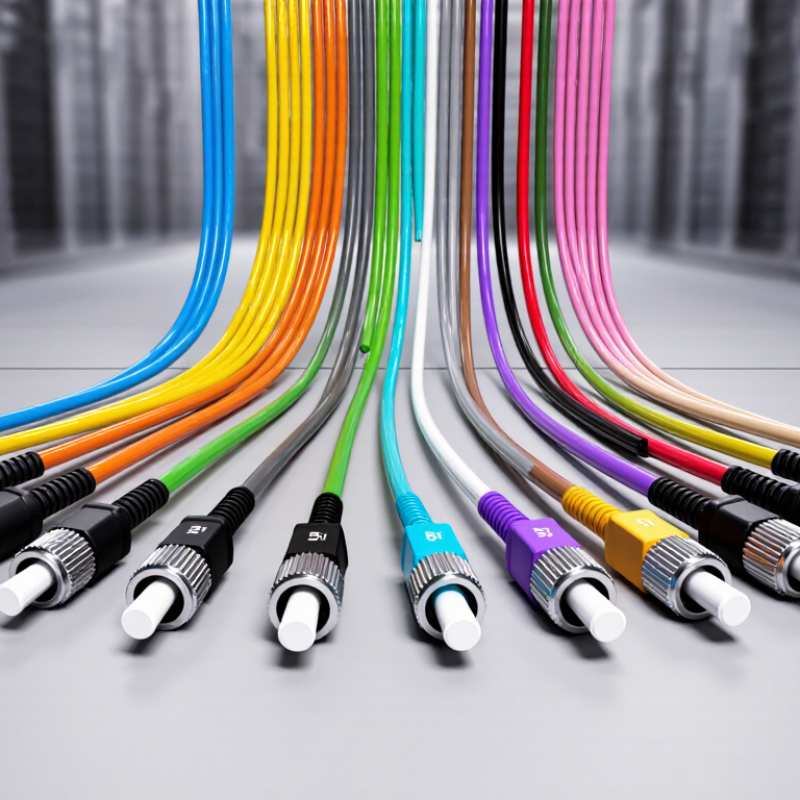
12 Best Fiber Optic Cables for Your Network

How Fiber Optic Cables Transmit Data Across Networks

A fiber optic cable carries data as pulses of light rather than electrical signals. At one end, a transmitter converts network data into rapid flashes from a light source. Those flashes enter the cable’s glass or plastic core. A surrounding layer, called cladding, helps keep the light within the core as it travels. Tiny pulses, moving very quickly.

At the other end, a receiver detects the light with a photodiode and converts it back to electrical data. This process supports high bandwidth and resists much of the electromagnetic interference that can affect copper wiring. The actual reach and speed depend on the fiber type, equipment, wavelength, and installation quality. A cable alone cannot guarantee performance.

In a network closet, the details matter. Dust on a connector can weaken the signal, while a sharp bend may cause light loss. Keep connectors capped until use, clean them with suitable tools, and follow the cable’s bend-radius guidance. Even so, troubleshooting is not always neat; a weak link may come from a connector, a transceiver, or a configuration issue. It is tempting to blame the cable first. Test before replacing it.


Which Cable Specifications Matter Most

Cable choice begins with the link budget, not the product label. Single-mode fiber suits longer runs, while multimode fiber can serve shorter building links. Check the required wavelength and transceiver compatibility before ordering. Small losses add up. The ITU-T G.652 recommendation specifies attenuation limits of 0.4 dB/km at 1310 nm and 0.3 dB/km at 1550 nm for relevant single-mode fiber characteristics. Those figures help estimate cable loss, but connectors and splices add more.

For multimode links, bandwidth and reach matter together. IEC 60793-2-10 specifies a minimum effective modal bandwidth of 4,700 MHz·km at 850 nm for OM4 fiber. That specification helps compare cable performance, but it does not guarantee a particular link distance by itself. Transceiver type, connector loss, and the number of joins also affect the result. Check the route.

The jacket and bend limits deserve equal attention. A cable routed through a warm ceiling, a damp conduit, or a tight cabinet needs an appropriate environmental rating and installation plan. Follow the manufacturer’s minimum bend radius; a sharp turn behind a rack can increase loss or damage the fiber. Inspect connector endfaces, too. Dust is easy to miss, and cleaning is often skipped during rushed installations. Specifications narrow the choices, but a site survey can still reveal details the datasheet cannot.

How Fiber Types and Connectors Suit Different Setups

Fiber type should match the equipment at both ends, not just the distance on a product label. Single-mode fiber, often marked OS2, suits long links between buildings or across a campus. Multimode fiber, such as OM3 or OM4, is common for shorter runs inside server rooms. Check the transceiver specifications before buying; a cable that fits physically may still be wrong for the link. Small details matter. For example, a 10-gigabit connection over a short rack run has different requirements from a link spanning several kilometers. I’ve seen cable selection treated as an afterthought, and that can mean replacing a perfectly tidy installation.

Connector choice affects fit, loss, and maintenance. LC connectors are compact and widely used with modern switches, while SC connectors are larger and can suit panels or older equipment. Match connector type at each end, and confirm whether the setup requires UPC or APC polishing. They are not interchangeable. Keep dust caps on until installation, then inspect and clean the end faces with proper fiber tools. Even a tiny speck can interrupt light. Also respect the cable’s bend radius; a sharp turn behind a cabinet can cause signal loss. The exact limit varies by cable design, so check its specifications rather than guessing. That step is easy to overlook.

Twelve Fiber Optic Cables Compared by Network Use

Choosing among twelve fiber optic cable options starts with the route, distance, and equipment—not a headline speed. OS2 single-mode fiber suits long campus or service-provider links. OM1 and OM2 are mostly legacy choices for shorter runs. OM3 and OM4 support many data-center connections, while OM5 can suit wideband multimode systems when compatible optics are installed. Check transceiver specifications; fiber grade alone does not guarantee a link’s reach. Short links matter, too.

Cable construction changes where a fiber can safely go. Simplex carries one strand; duplex carries two, often for transmit and receive. Tight-buffered cable fits many indoor routes. Loose-tube designs better protect fibers outdoors. Armored cable adds crush protection, while ribbon cable packs many fibers into dense trunks. These six constructions can overlap with the six fiber grades, so the comparison is not a perfectly tidy ranking. The ITU’s Facts and Figures 2023 estimated 5.4 billion people were online, underscoring the scale of connected networks, though that figure does not predict any site’s bandwidth. Before buying, measure the pathway, check bend limits, and confirm fire-rating requirements. A drawing can miss a sharp corner. Leave room for service loops, too.

How to Select and Install the Right Cable for Your Network

Choosing fiber optic cables starts with distance, bandwidth, and the route they must follow. Single-mode OS2 suits long campus links; multimode OM4 can fit shorter building runs. Check transceiver compatibility and connector type before ordering. ITU-T Recommendation G.652 sets maximum attenuation at 0.40 dB/km near 1310 nm and 0.30 dB/km near 1550 nm. These are specification limits, not a guarantee of the finished link’s performance.

Measure the full route, including service loops, risers, and patch panels. Match the cable jacket to the space: plenum-rated cable may be required in air-handling spaces. For bending, Fiber Optic Association guidance commonly uses 20 cable diameters while pulling and 10 after placement. Follow the cable datasheet if it gives stricter limits. Keep the pulling load within specification, and avoid tight turns behind racks. Small details matter.

Before installation, label both ends and inspect connectors for dust or scratches. Clean and inspect them with suitable tools; visual inspection alone can miss contamination. Test the completed link with an optical loss test set, recording measured loss against the design budget. It is easy to overfocus on speed ratings. I would recheck the route and link budget before buying, because replacing an undersized or damaged run costs more than careful planning.

12 Best Fiber Optic Cables for Your Network - How to Select and Install the Right Cable for Your Network

Cable Type Fiber and Typical Specifications Best-Fit Applications Selection and Installation Notes
OS2 Single-Mode 9/125 µm; single-mode fiber, commonly used at 1310 nm and 1550 nm Campus backbones, service-provider links, and connections spanning long distances Choose compatible single-mode optics. Check the link budget and connector type; avoid exceeding the cable’s specified bend radius.
OM1 Multimode 62.5/125 µm; legacy multimode fiber, commonly used with 850 nm equipment Existing building networks and legacy links with matching multimode interfaces Confirm that the installed fiber and transceivers support the required speed and distance. It is generally not the first choice for new high-speed links.
OM2 Multimode 50/125 µm; multimode fiber, commonly used with 850 nm equipment Short building links and upgrades to compatible legacy multimode systems Verify the reach for the specific data rate and transceiver. Do not assume OM2 and OM1 have interchangeable performance.
OM3 Multimode 50/125 µm laser-optimized multimode; supports 10 Gb/s Ethernet links up to 300 m under applicable specifications Data-center and enterprise links using short-reach multimode optics Use compatible multimode transceivers and connectors. Keep polarity consistent across duplex links.
OM4 Multimode 50/125 µm laser-optimized multimode; supports 10 Gb/s Ethernet links up to 400 m under applicable specifications Higher-performance data-center and campus links that benefit from more multimode reach Check the required reach at the target speed; supported distance depends on the transceiver and link design.
OM5 Wideband Multimode 50/125 µm wideband multimode fiber, designed for operation across multiple wavelengths in the 850–953 nm range Short-reach networks designed to use supported shortwave wavelength-division multiplexing optics Use only with equipment that supports the intended wavelengths. OM5 does not automatically increase link reach or speed with standard optics.
Indoor Tight-Buffered One or more fibers, commonly with a 900 µm tight buffer around each coated fiber Building risers, equipment rooms, and indoor distribution routes Choose the required fiber count and fire-rating classification. Follow local code and the cable maker’s pulling and bend-radius limits.
Outdoor Loose-Tube Multiple fibers housed in loose buffer tubes; constructions may include water-blocking materials Campus ducts, outdoor conduit, and inter-building backbone routes Match the cable to the environment and installation method. Seal building entry points and use approved transition hardware indoors.
Indoor/Outdoor Riser-Rated Indoor/outdoor cable construction with a riser (OFNR) fire-rating classification where specified Routes that pass between buildings or transition from outdoor pathways into vertical building spaces Confirm that both the cable rating and installation location meet applicable local electrical and fire codes; a riser rating is not a plenum rating.
Plenum-Rated Cable Cable carrying a plenum (OFNP) rating for use in qualifying air-handling spaces, subject to local code Ceiling or floor spaces used for environmental air handling, where that rating is required Verify the space classification and local code before installation. Do not substitute a riser-rated cable where plenum rating is required.
Armored Fiber Cable Fiber cable with an added protective armor layer; available in indoor and outdoor constructions Routes exposed to crush risk, rodents, or demanding pathways Check whether the specific cable is rated for the intended location. Bond or ground metallic armor as required by the cable design and local code.
Direct-Burial-Rated Cable Outdoor cable specifically constructed and listed for direct burial; often includes water-blocking and protective layers Underground routes where cable is installed directly in soil rather than inside conduit Use cable explicitly rated for direct burial and follow required burial depth and utility-separation rules. Armor alone does not establish a direct-burial rating.
Scroll to Top